Is Squarespace good for SEO? SEO is crucial if you want your website to appear on the first page of search results. Many website builders offer SEO tools, but how does Squarespace compare?
Squarespace provides built-in SEO tools. You can customize page titles, meta descriptions, and URLs with ease. The platform makes your site mobile-friendly and fast. This boosts search rankings. Squarespace automatically generates sitemaps, which assist search engines in indexing your site.
Keep reading to discover how Squarespace’s SEO features can benefit your website and improve its visibility online. Learn tips and tricks to maximize your site’s potential with Squarespace.
Key Takeaways
- Comprehensive SEO Tools: Squarespace offers built-in SEO features like clean URLs, automatic tagging, and sitemap generation.
- Mobile Optimization: Squarespace ensures all templates are fully responsive, improving user experience and SEO ranking.
- Easy Integration: Connects effortlessly with Google Analytics and Search Console to enhance SEO monitoring and improvements.
What Is Squarespace SEO?
Squarespace SEO is about its built-in tools for better search engine visibility. This includes a suite of built-in functionalities to improve search rankings without requiring users to manage complex settings or install additional plugins. Key elements of Squarespace SEO include:
- SEO-Friendly HTML Markup: Squarespace generates site code that adheres to SEO best practices, helping to ensure that search engines can effectively crawl and index site content.
- Automatic Sitemap Generation: The platform creates and updates XML sitemaps, which help search engine bots find and index all active pages on a website.
- Clean, Customizable URLs: Squarespace provides simple, editable URLs that are easy for search engines to understand. You can customize them to include keywords for better SEO.
- Mobile Optimization: All Squarespace templates are responsive, adjusting to fit any device’s screen size. This is critical since mobile compatibility affects Google’s ranking algorithms.
- SSL Security: Squarespace sites have a free SSL certificate. It boosts security and trust, and search engines use it as a ranking factor.
- Integrated Social Media Tools: These tools make sharing content on social media easy. This could boost site traffic, engagement, and SEO.
- Google Search Console Integration: Users can link their sites to Google Search Console. It monitors their site’s performance in search results and finds optimization opportunities.
Squarespace’s SEO tools aim to help users build SEO-friendly websites. They should rank well in search engines. This is especially useful for those with limited SEO knowledge.
SEO Features In Squarespace
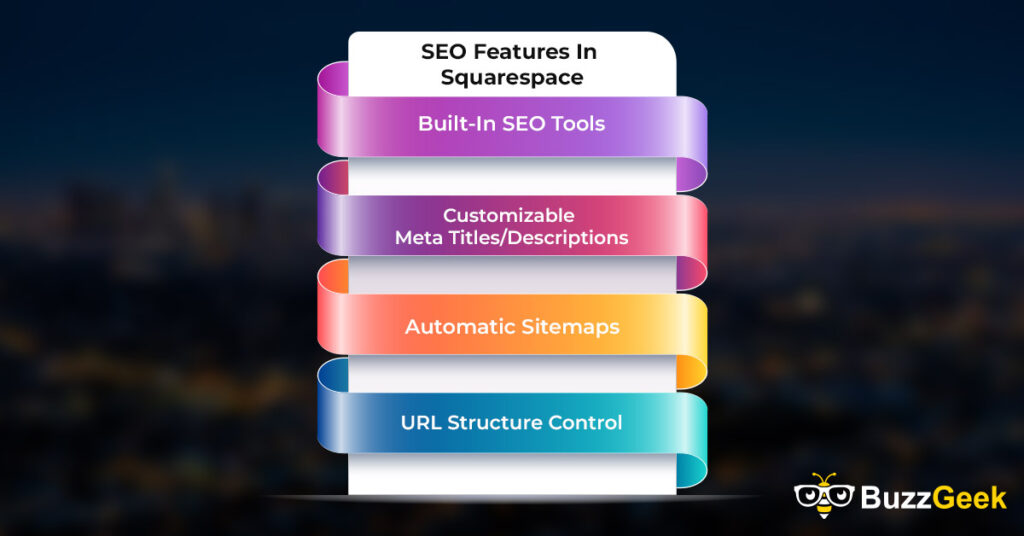
Squarespace has built-in SEO features. They help improve your site’s visibility in search engines. These user-friendly tools make them accessible to people with little or no technical knowledge. Below, we explore some key SEO features that Squarespace provides.
Built-In SEO Tools
Squarespace has essential SEO tools. These tools help optimize your site without third-party plugins. They perform vital tasks, such as creating sitemaps, optimizing images, and improving site speed.
These features are ready to use, so even beginners can boost their site’s performance without deep technical knowledge. Squarespace also has SEO-friendly HTML, which ensures search engines can read your site’s structure.
Customizable Meta Titles/Descriptions
Squarespace allows users to edit meta titles and descriptions for every page. This is important because search engines show these elements in search results, which can impact whether users click on your site.
Customizing these fields lets you include keywords. Keywords help your pages rank better and inform visitors about your site’s content.
Automatic Sitemaps
With Squarespace, an XML sitemap is automatically generated and updated for your site. A sitemap is essential because it helps search engines find and index all the pages on your site.
You don’t have to create or update this manually; Squarespace takes care of it. This feature ensures that search engines discover even new or hidden pages.
URL Structure Control
Squarespace allows users to create clean and customizable URLs. URLs matter for SEO because they help search engines and users understand what the page is about. Squarespace creates simple, readable URLs.
You can edit them to add relevant keywords, improving your page’s chances of ranking higher for specific searches. The platform makes URLs easy to navigate, which boosts user experience and search engine visibility.
Strengths of Squarespace For SEO
Squarespace offers several SEO strengths to help your website rank well in search engines. Its features focus on ease of use, security, speed, and mobile responsiveness, which are all key factors in SEO.
User-Friendly Design
Squarespace provides a user-friendly design interface that simplifies website creation and editing.
This platform allows you to drag and drop elements where you need them, ensuring that even those without technical skills can maintain an SEO-friendly site. You can also add and modify content regularly, which helps keep your site relevant and engaging for visitors and search engines.
Secure HTTPS Connection
Every Squarespace site comes with an SSL certificate at no extra cost. This means your site uses a secure HTTPS connection by default. Search engines, like Google, prefer secure sites.
They rank them higher because they protect users’ data. This security is essential for e-commerce sites where customers enter sensitive information.
Fast Loading Times
Squarespace sites load quickly. Fast loading times improve user experience and support higher search engine rankings. Squarespace optimizes images and uses efficient coding practices to ensure your site doesn’t lag. A fast site keeps visitors happy, reducing bounce rates and boosting your SEO potential.
Responsive Templates
All Squarespace templates are responsive. They automatically adjust to look good on any device: phone, tablet, or desktop. Google ranks mobile-friendly sites higher. They provide a better experience for mobile users. With Squarespace, you don’t need to design a mobile site. This simplifies SEO and improves your rankings.
Integration With Social Media
Squarespace makes it easy to link your site with social media platforms. This integration helps increase your online presence and drives traffic from social media to your website.
Sharing your content on social media can boost interactions and engagement. This can improve your SEO, as search engines consider these factors when ranking sites.
Squarespace SEO Limitations
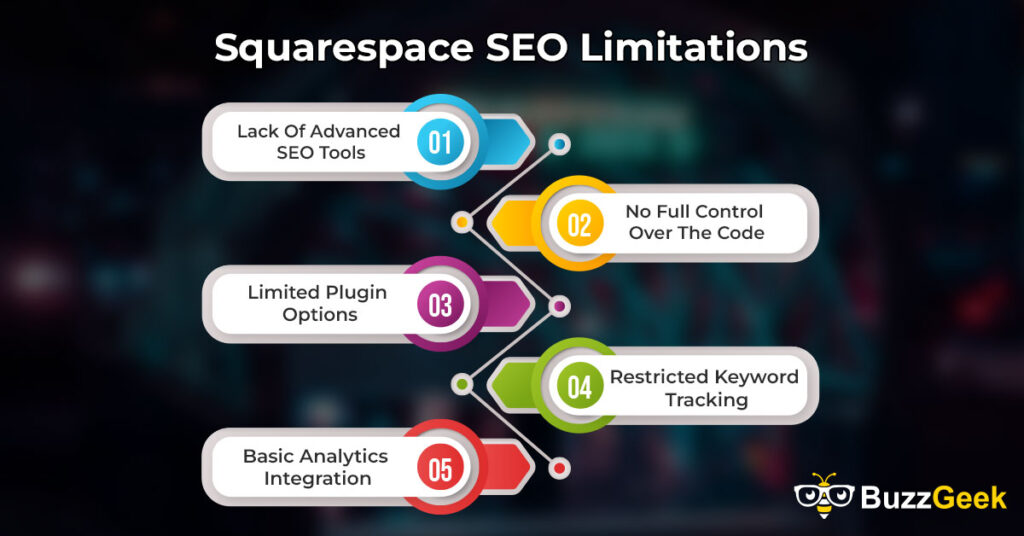
Squarespace has useful SEO features for beginners. But, it is limited compared to advanced platforms. If you want full control and customization, these limits can hurt your site’s search engine ranking. Below are the key areas where Squarespace’s SEO capabilities fall short.
Lack Of Advanced SEO Tools
Squarespace comes with basic SEO tools that are helpful for most users. However, if you need advanced features, Squarespace lacks them. It has no detailed schema markup or technical SEO options.
Unlike WordPress, you can’t install third-party SEO plugins on Squarespace. It has a few advanced SEO settings for users who want more customization.
No Full Control Over The Code
One major limitation with Squarespace is the lack of full access to the site’s code. While you can inject some custom code in specific areas, the platform doesn’t allow users to modify the full HTML or backend structure.
This restriction makes it hard to use some SEO techniques. It also limits how you can customize search engines’ crawling and indexing of your site.
Limited Plugin Options
Unlike other platforms with many SEO plugins, Squarespace has few. You have to rely on the built-in features for SEO, and there’s no easy way to add new tools to expand these capabilities. This limitation can frustrate users who want more control over their SEO strategy.
Restricted Keyword Tracking
Keyword tracking is essential for understanding how your website performs in search results. While Squarespace allows you to add keywords to your content, it doesn’t offer built-in tools for tracking keyword rankings.
You will need to rely on external tools to monitor how well your pages rank for specific keywords, which adds complexity to the SEO process.
Basic Analytics Integration
Squarespace has built-in basic analytics, which can track site visitors and page views. However, these analytics tools are less capable than Google Analytics. Squarespace’s analytics lack deep insights into user behavior and SEO. So, it’s hard to understand your site’s search ranking fully.
Comparing Squarespace SEO To Competitors
Squarespace offers simple, built-in SEO tools that work well for most users. However, key SEO differences exist between it and platforms like WordPress, Wix, and Shopify. These differences can help users choose the best SEO platform.
Squarespace Vs. WordPress SEO
WordPress stands out as the most flexible platform for SEO. It has many customization options. Users can install plugins like Yoast SEO or RankMath for advanced optimization. WordPress users control the site’s structure, code, and SEO. So, it’s the best choice for advanced SEO work.
In contrast, Squarespace offers basic SEO tools that are easier for beginners to use. It doesn’t require users to install plugins or manually adjust site settings. However, Squarespace’s SEO options are more limited, making it harder for users to perform complex optimization tasks.
Squarespace Vs. Wix SEO
Both Squarespace and Wix target users looking for an easy-to-use platform with built-in SEO tools. Wix has a similar feature set, but it includes an SEO Wizard that guides users step-by-step through optimizing their site.
Squarespace focuses on simplicity and design. Both platforms have SEO limits. Wix may be better for beginners due to its guided SEO. Squarespace has better overall site performance.
Squarespace Vs. Shopify SEO
Shopify is for e-commerce businesses. It has SEO tools to optimize product pages and categories. It supports mobile optimization and has features like clean URLs, which help with search engine rankings. However, Shopify’s SEO tools can be limiting for users who want full control over technical SEO aspects.
Squarespace has fewer online store features than Shopify, but it is more flexible for other content. Squarespace is better for users who want design and functionality, while Shopify is better for those who want an SEO-focused e-commerce site.
How To Improve SEO On Squarespace
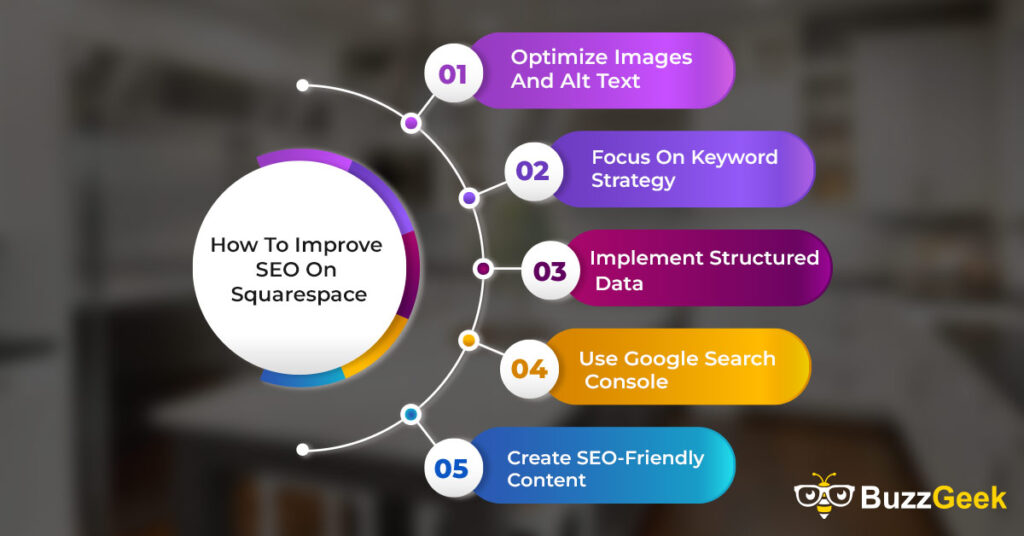
Improving SEO on Squarespace can help your website show up better in search results. Here’s how you can make your Squarespace site more search-engine friendly.
Optimize Images And Alt Text
Images play a big role in how your site looks and loads. Large images can slow down your site, which affects SEO. To fix this, compress images before uploading them. Smaller files load faster and improve the user experience.
Alt text is also important for SEO. Alt text describes an image to search engines. This helps search engines understand what the image is about and can improve your site’s rankings. Always include descriptive and keyword-rich alt text for all images.
Focus On Keyword Strategy
Keywords are important in SEO. They help search engines understand what your site is about. Use keywords that match what people search for. Put these keywords in your titles, headings, and throughout your content. But make sure not to use too many. This can make your content hard to read.
Implement Structured Data
Structured data is code that helps search engines read your website better. It allows search engines to display more detailed information about your site in search results, such as star ratings, reviews, and product details.
Squarespace lets you add structured data, making it easier for search engines to show rich results.
Use Google Search Console
Google Search Console is a tool for monitoring your website’s performance in search results. Connecting your Squarespace site to Google Search Console lets you see how people find your website. It also lets you check for issues that may hurt your SEO, like broken links or missing pages.
Create SEO-Friendly Content
Creating good content is key to ranking higher on search engines. Your content needs to answer the questions your audience is asking. Use keywords naturally throughout your blog posts or pages. Break up your content with headings, short paragraphs, and lists to make it easy to read.
FAQs
Can I Customize Squarespace Blog Post Slugs For Better SEO?
Yes, you can customize Squarespace blog post slugs for better SEO. Custom slugs create keyword-rich URLs, improving search visibility and user experience. To customize, go to post settings and edit the slug field. This simple action enhances SEO and helps attract more organic traffic.
Does Squarespace Provide SEO Support For eCommerce Sites?
Yes. Squarespace has built-in SEO tools for eCommerce. These include customizable meta tags, clean URLs, mobile optimization, automatic sitemaps, and Google Analytics integration. These features help online stores improve their search rankings, boost visibility, and attract more organic traffic.
Does Squarespace Support AMP (Accelerated Mobile Pages) For SEO?
Squarespace currently does not support AMP (Accelerated Mobile Pages) for SEO directly. So, Squarespace websites can’t use AMP’s framework. It could boost mobile speeds and SEO. However, Squarespace sites are designed to be responsive and mobile-friendly, which also supports good SEO practices.
Is Squarespace SSL Certified, And Does That Help With SEO?
Yes, Squarespace is SSL-certified, significantly boosting SEO by ensuring secure connections. This certification improves user trust and search engine rankings, as Google prioritizes secure websites. SSL certification boosts credibility and search visibility. It also improves site performance.
Is SEO Better On WordPress Or Squarespace?
When it comes to SEO, WordPress generally offers superior capabilities compared to Squarespace. With its plugins and settings, WordPress is highly flexible. You can optimize it for your needs. Squarespace provides user-friendly built-in SEO features, making it ideal for beginners seeking simplicity.
Conclusion
Squarespace offers solid SEO features that can help boost your site’s visibility. You can easily manage your SEO with built-in tools. They include clean URLs, mobile-friendly designs, and easy integration with Google Analytics.
Squarespace helps beginners focus on content, not tech details. However, it may lack the advanced features of some platforms.
But, it is a solid base for small businesses, bloggers, and creatives. Squarespace could fit your needs if you want a platform that balances design and SEO. Use its tools, focus on quality content, and watch your site grow.